Why “Font” Is the Wrong Word
Discord draws chat and profile text with a typeface chosen by the app. There is no per-account font picker, no stylesheet a user can attach to a message and no setting that changes how one person’s name is shaped. When a profile looks like it uses a different typeface, it is using different characters — not a different font file.
Unicode assigns a number to every character a device can display, and among its many alphabets are complete sets of bold, italic, script and Fraktur letters originally encoded for mathematical notation. Add enclosed alphanumerics, fullwidth forms and phonetic small capitals and you have several parallel versions of the Latin alphabet. A converter simply maps each letter you type to its counterpart in one of those sets.
That distinction explains the behaviour people find surprising: the result is an ordinary string. It survives copy and paste, needs no plugin on the receiving side, and works in fields that have no formatting controls at all. It also means the styled letters are genuinely different code points, which is the source of almost every limitation below.
A Five-Step Workflow
- Enter one phrase. Every card below re-renders on each keystroke, so you can compare the same words across all families without re-typing.
- Narrow the list with the Bold, Cursive, Gothic, Decorative, Aesthetic and Glitch filters, or expand Show more styles to scan everything at once.
- Watch the counter if the text is destined for a name. Entries that exceed Discord’s 32-code-point cap are flagged 32+.
- Copy a card by clicking it or its Copy button. A short confirmation appears once the string is on the clipboard.
- Paste and save in the target field, then reopen it to confirm what the app stored.
Which Field Accepts a Styled Name
Discord separates identifiers from free text. Menu labels shift between releases, but the split itself has stayed constant, and it determines where a substituted alphabet will be accepted.
Display name
Shown beside your messages in every server. Open User Settings, find the profile section, paste into Display Name and save. The field allows up to 32 characters and imposes few restrictions on which Unicode letters it will store.
Per-server nickname
To vary your identity in a single community, open that server’s menu and edit your server profile. Paste into Nickname. If the control is disabled, the server has withheld nickname permissions and a moderator has to grant them.
Server and channel names
With manage permissions, you can restyle the server name in Server Settings or an individual channel name. Categories such as “︱𝐠𝐞𝐧𝐞𝐫𝐚𝐥” are a common way to impose a visual hierarchy. Keep navigation-critical channels readable — a channel list is a map, not a canvas.
About Me and messages
These are the longest free-text surfaces on a profile, so they are where framed wrappers, wide fullwidth letters and multi-symbol decorations actually fit. They are also the easiest place to undo an experiment.
Matching a Family to a Surface
Readability requirements differ by field far more than taste does:
| Surface | Families worth trying | Reason |
|---|---|---|
| Display name / nickname | Bold, Bold Script, Small Caps | Even stroke weight and broad system-font coverage at small sizes. |
| About Me bio | Aesthetic, Sparkles, Kawaii wrappers | More characters to spend, and no navigation depends on parsing it quickly. |
| Server name | Gothic, Double-Struck, Royal Frame | A single strong title style reads as branding rather than decoration. |
| Channel names | Small Caps, Bold Sans, Monospace | Compact widths keep aligned lists tidy. |
| Messages and memes | Glitch, Upside Down, Bubble | High impact in short bursts; fatiguing anywhere else. |
A useful heuristic: if someone needs to read or retype the string to do something — mention you, find a channel, follow an instruction — keep it plain. Decoration is cheapest where nothing depends on the text being parsed.
Markdown Is a Different Mechanism
Alongside Unicode substitution, Discord parses a small markup language inside message content: **bold**, *italic*, __underline__, ~~strikethrough~~ and ||spoiler||. A leading # produces a header, -# produces muted subtext, > produces a quote, and fenced code blocks give monospace or, with an ANSI language tag, coloured text on desktop.
Markdown is metadata interpreted at render time, so it never applies to names and disappears when text is copied elsewhere. Unicode substitution changes the string itself. The two solve different problems, which is why this page offers a formatting tool as well as a full markdown reference.
When Letters Turn Into Empty Rectangles
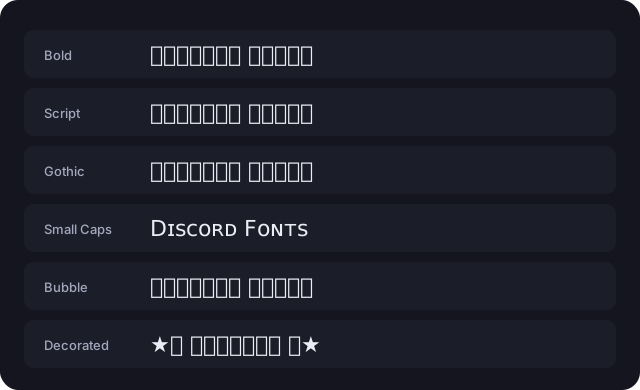
A hollow box (often called tofu) is not a broken string. It means the viewer’s font has no glyph for that code point, so the renderer draws a fallback. The bytes arrived intact; the display side could not draw them.
- Mathematical bold, italic, script, Fraktur and double-struck are the oldest families here and are covered by current Windows, macOS, iOS and Android system fonts.
- Squared, negative-circled and several flipped letters were added in later Unicode versions and fail most often on older handsets, TVs and consoles.
- Combining-mark styles depend on each text shaper’s stacking rules, so they can overlap adjacent lines rather than merely look different.
- Cards marked Limited support in the generator are the ones to test on a second device before using in anything public.
What Assistive Technology Reads
A substituted letter does not carry a “bold” attribute that software could interpret as emphasis. Screen readers commonly announce its formal Unicode name — “mathematical bold capital D” — or skip it, and search indexes treat it as an unrelated character. A decorative name can therefore be invisible to member search and laborious to listen to.
Keep rules, announcements, links and instructions in plain text. If you want a styled identity, leave one ASCII word intact so others can mention and find you, and choose a family with steady stroke weight rather than one that depends on rare glyphs.