One Instant, Many Clocks
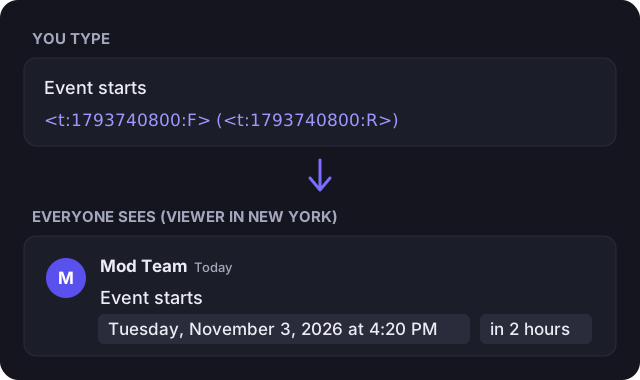
A timestamp tag is a short instruction Discord expands when it renders a message. You send <t:1793740800:F>; the reader sees a fully formatted date such as “Tuesday, November 3, 2026 at 4:20 PM”. The number is a Unix timestamp — a count of seconds since 1970-01-01 UTC — so it identifies an instant rather than a position on anyone’s wall clock.
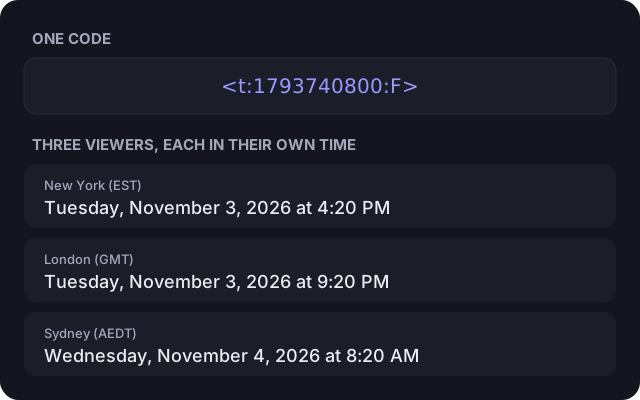
That is the whole point. Each client converts the same instant into its own time zone and locale, so a viewer in New York, one in London and one in Sydney all read a correct local time from one message. Nobody needs to do arithmetic, and a daylight-saving change does not silently shift an event by an hour.
Building a Tag
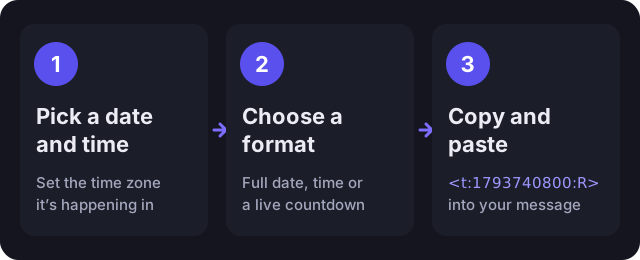
- Set the date and time of the event, or start from Now.
- Confirm the time zone. It defaults to yours, but an event scheduled in another region should use that region’s zone.
- Adjust with the +15 min, +1 hour, +1 day and +1 week shortcuts if needed.
- Choose a display format from the list and press Copy.
- Paste the tag into a Discord message and send it.
You can also paste an existing Unix value into the dedicated field — seconds or milliseconds — and the generator will load it, which makes the tool work as a converter in the other direction too.
The Nine Display Letters
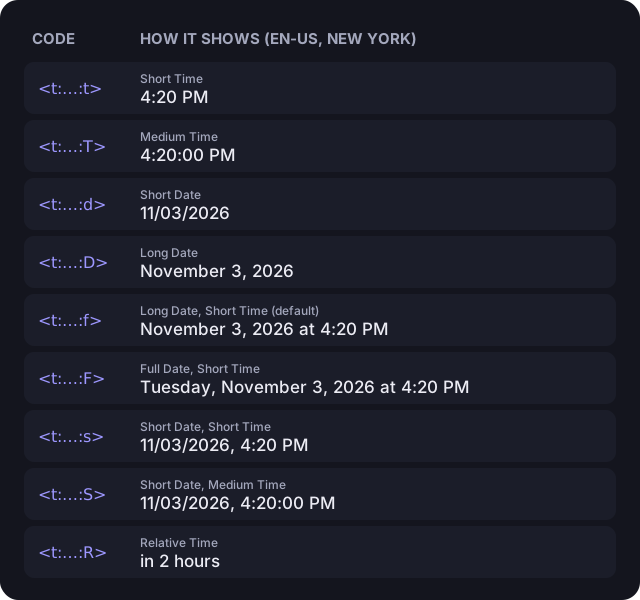
The final character of the tag selects how Discord phrases the instant. Omit it and Discord falls back to f. The sample outputs below come from Discord’s own documentation; each reader sees the equivalent expression in their language and clock convention.
| Style | Code | Example | Best for |
|---|---|---|---|
| Short Time | <t:…:t> | 16:20 | Daily reminders and times on the same day |
| Medium Time | <t:…:T> | 16:20:30 | When the exact second matters |
| Short Date | <t:…:d> | 20/04/2021 | Compact dates in lists and tables |
| Long Date | <t:…:D> | April 20, 2021 | Deadlines and dates without a time |
| Long Date, Short Time | <t:…:f> | April 20, 2021 at 16:20 | The default; good for most announcements |
| Full Date, Short Time | <t:…:F> | Tuesday, April 20, 2021 at 16:20 | Events, where the weekday helps |
| Short Date, Short Time | <t:…:s> | 20/04/2021, 16:20 | Schedules and logs that need to stay short |
| Short Date, Medium Time | <t:…:S> | 20/04/2021, 16:20:30 | Logs and records down to the second |
| Relative Time | <t:…:R> | 4 years ago | Countdowns and “how long ago” |
In practice: R gives a self-updating countdown, F carries the weekday for one-off events, and t keeps a recurring time such as a daily reset compact.
Writing the Tag by Hand
No generator is required once you have the Unix value. The grammar is <t:UNIX:STYLE>: a lowercase t, a colon, seconds since the epoch, another colon and an optional style letter, all within angle brackets with no spaces. Both <t:1793740800:R> and <t:1793740800> are valid.
To obtain the number, run date +%s in a macOS or Linux shell, evaluate Math.floor(Date.now() / 1000) in JavaScript, or use this tool. Many APIs return milliseconds (13 digits today); Discord expects seconds (10 digits), so discard the last three.
Patterns That Work in Real Servers
- Event announcement: “Movie night starts
<t:1793740800:F>(<t:1793740800:R>)” — an exact date plus a live countdown. - Giveaway deadline: “Closes
<t:1793740800:R>” — the wording switches from “in” to “ago” on its own. - Raid or match time: “Raid at
<t:1793740800:t>” — short and correct for every participant. - Rule change notice: “Rules updated
<t:1793740800:D>” — a date with no time attached. - Stream schedule: one
<t:…:s>per line for a compact calendar.
Why No One Has to Convert Anything
Because the tag stores an absolute instant, the conversion is performed by the reader’s client, not by the author. Choose the zone in which the event was planned when building the tag; every other zone follows automatically.
When a Tag Refuses to Render
- It stays as literal text. The tag must begin with a lowercase
<t:, use one of the nine case-sensitive letters, and contain no spaces. Inline code and fenced blocks disable rendering entirely. - The year is implausible. The value was supplied in milliseconds; divide by 1,000.
- The hour is consistently wrong. The wrong zone was chosen when the tag was built. Recreate it with the event’s actual zone.
- It does nothing in a name. Rendering applies to message content and bot embed fields. Display names, nicknames and channel names show the raw tag.
Small Habits That Prevent Confusion
- Pair two formats,
<t:X:F> (<t:X:R>), so readers get both the date and the remaining time; the combined-copy button does this for you. - Use
Rfor countdowns — the message never needs editing. - Around a daylight-saving transition, check the warning the generator shows for skipped or repeated local times before posting.